Ease of use and seamless communication are critical to Contact Center success, and HP is focused on continually improving both to create better experiences for agents and customers.
This year has seen two major launches for HP Poly headsets; HP Poly Mission USB Series and HP Poly Focus 6 Bluetooth Series. Both Series have been recognized with industry awards at launch including Best of Show in the AV Technology category at ISE 2026 for the HP Poly Mission Series, and Best of Show at InfoComm 2026 for HP Poly Focus 6 Series. Behind the scenes a major overhaul of our SDKs has been underway to support these new generation headsets in addition to the existing HP Poly portfolio.
The HP Poly CCSDK supports our ecosystem partners in developing state-of-the-art integrations with our headsets, ensuring customers get the best out of our partners software and their HP Poly headsets.
Today, I’m pleased to announce new integrations from Genesys that bring seamless call control to HP Poly headsets, creating a simpler, more intuitive experience across Genesys clients.
“Genesys worked alongside our partners at HP Poly to leverage the latest WebHID technology to enhance our headset call control experience and eliminate the need for additional software to be installed.”
David Van Milligan, Sr. Product Manager, Genesys
The CCSDK integration enables Call Control for HP Poly customers using the Genesys WebRTC SDK softphone or the native Genesys Cloud web and Windows desktop clients as well as following embedded clients:
- Genesys Cloud for Salesforce
- Genesys Cloud for Zendesk
- Genesys Cloud for Microsoft Teams
- Genesys Cloud for Chrome
- Genesys Cloud for Firefox
- Genesys Cloud Embeddable Framework
- CX Cloud from Genesys and Salesforce
- Unified Experience from Genesys and ServiceNow
The call control feature enables you to use the controls on the headset to perform call operations like: *
- Answer call
- Hang up a call
- Put a call on hold
- Remove a call from hold
- Mute a call
- Unmute a call
- Reject a call
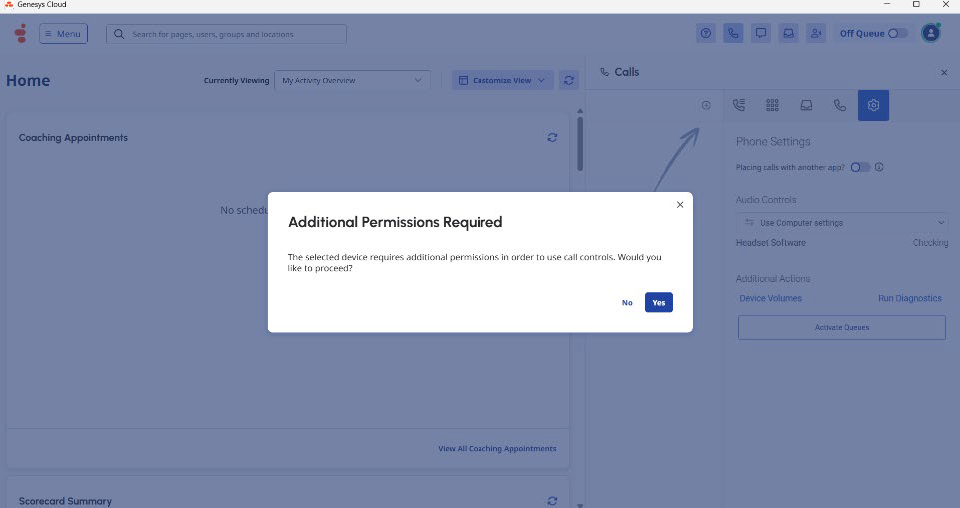
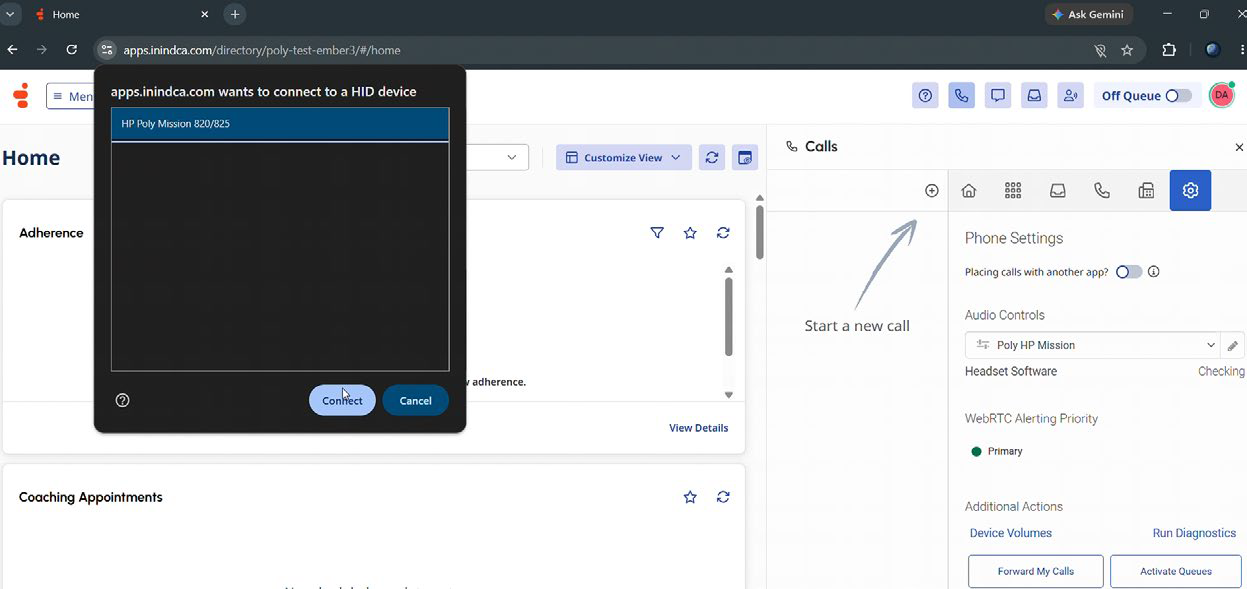
See the linked video HP Poly and Genesys Bring Frictionless Call Control to the Contact Center | LinkedIn.
For users of HP Poly Studio; integrations will be enabled through the app without the need for a software update. Updates will be enabled natively within Genesys clients for other users
In environments where Genesys and another softphone, such as Microsoft Teams, coexist, the latest HP Poly headsets, including the Mission and Focus 6 series, together with the new CCSDK integration, enable seamless coexistence between applications.
For more information please visit Genesys Cloud Resource Center or email us at genesys@hp.com
Notes:
- To use an HP Poly headset in the Genesys Cloud desktop app, you must use the latest version of the app.
- Genesys Cloud WebRTC only supports the built-in call controls on HP Poly headsets when you run Genesys Cloud from the Chrome web browser.
- While you can use the HP/Poly/Plantronics headsets in the Mac desktop app, you cannot use the built-in call controls. The Mac desktop app does not support WebHID call controls.